Salesloft tools for SDR and BDR managers
Every dial to the number most likely to answer.
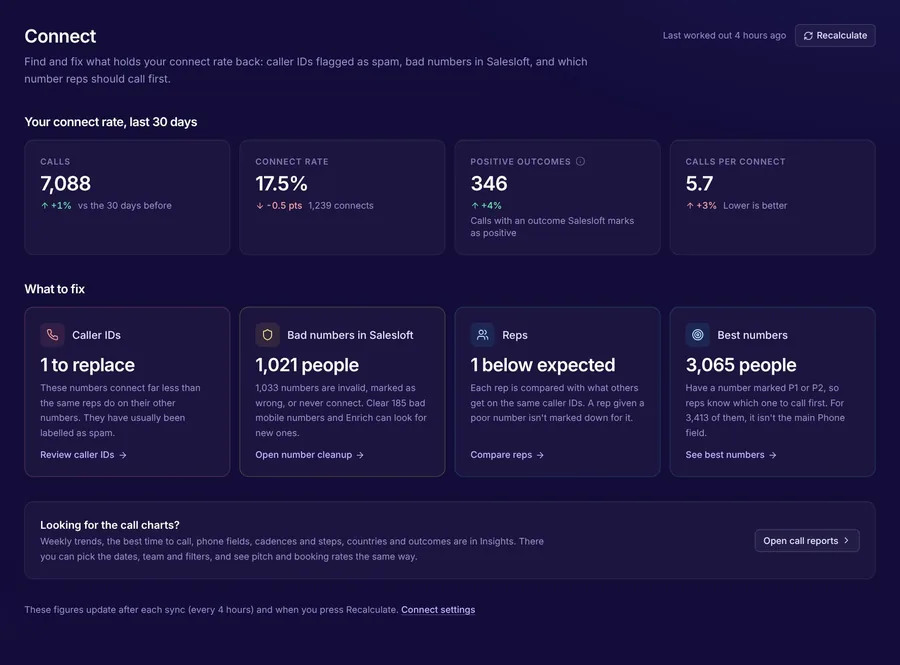
Your reps dial whatever number is first on the record, at whatever time suits the cadence. PulsarGTM puts each person's best number and best time on their record, keeps caller IDs healthy and fills the gaps.
Not your team's Salesloft Admin? Send them the link
The same problems, every quarter
- Reps dial the first number on the record, not the one that answers
- A caller ID gets flagged as spam and nobody notices for weeks
- People join cadences with no number, so call steps get skipped
- 1:1s run on raw totals, so a short week looks like a bad one
Each problem, and the product that fixes it
All in one plan, on one Salesloft connection. Switch on only what you need.
"Which number, and when?"
Best number and best time on every record
Each person's numbers scored on real call outcomes, from P1 "call first" to P4, and the days and hours they pick up, written to Salesloft fields for your views.
Pulsar Connect"Has a caller ID been flagged?"
Caller ID alerts
A Slack or email alert when one of your numbers suddenly stops connecting, naming the reps on it and healthy numbers to move them to.
Caller IDs"What about people with no number?"
Numbers found as they join a cadence
Your waterfall of providers fills missing phones and emails, and finds a replacement when a rep logs a wrong number.
Pulsar Enrich"How do I run a fair 1:1?"
Per-day numbers, booked to connect
People dialled, connected and booked per rep and per working day, compared with the week before.
Pulsar InsightsFrom connecting Salesloft to the first fix
Connect Salesloft
Your Salesloft Admin connects it. Your past calls load in the background.
Switch on best numbers
Best number and best time are written to each person, so a view can put P1 people first.
Watch the connect rate
Caller ID alerts and the weekly call reports show whether it's working.
Questions from SDR and BDR managers
Do reps need a new tool?
How quickly are new calls picked up?
Can I send caller ID alerts to Slack?
Does Enrich spend credits on people already tried?
See which numbers your team should be dialling
The free health check shows how many people have a better number than the one reps see first. 30 days free, no card.
Rather have a walkthrough on your own data? Talk to us